
Our new film, "Lease reviews with the MYX AI Document Analyzer", runs 1 minute 24 seconds, and in that time a folder of lease PDFs becomes a table you can review. That table is what a lease review is for. The film shows the short way to it. Drop in the leases. Get the data out, 1 row per site and 1 column per field, with the source page noted on every value.
The manual version is familiar. Someone opens each PDF, hunts for the rent, the escalation, the term and the renewal options, and retypes them into a spreadsheet. Every retyped number is a chance for an error that surfaces months later as a wrong invoice or a missed deadline. The film shows the same job on a demonstration portfolio of 72 sites, with the retyping gone.
What You Are Watching
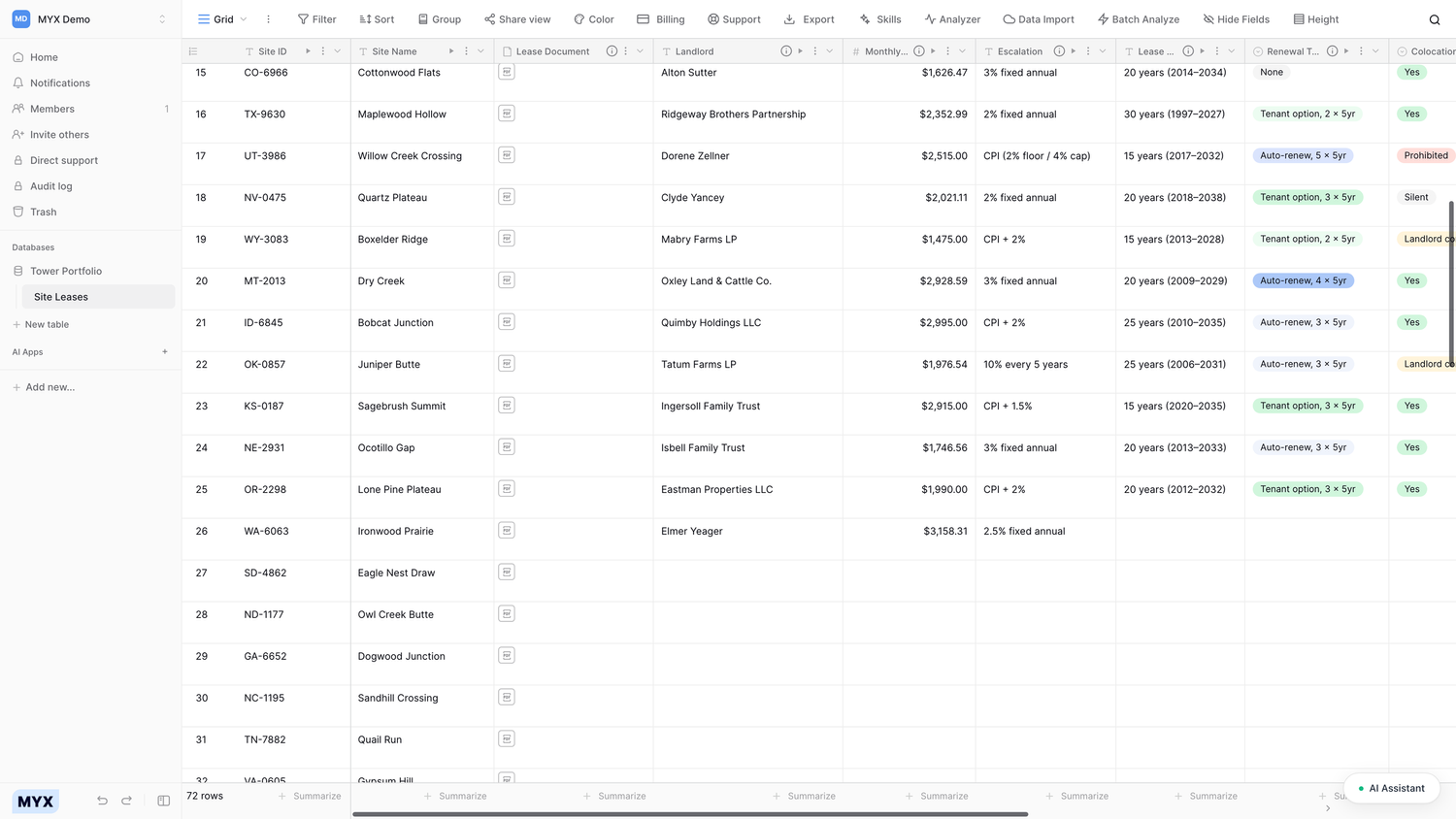
The film follows a demonstration portfolio of 72 sites through MYX Analyzer. There are 3 steps on screen.
Upload. A folder of lease PDFs goes into a table, 1 row per site, with each lease attached to its row.
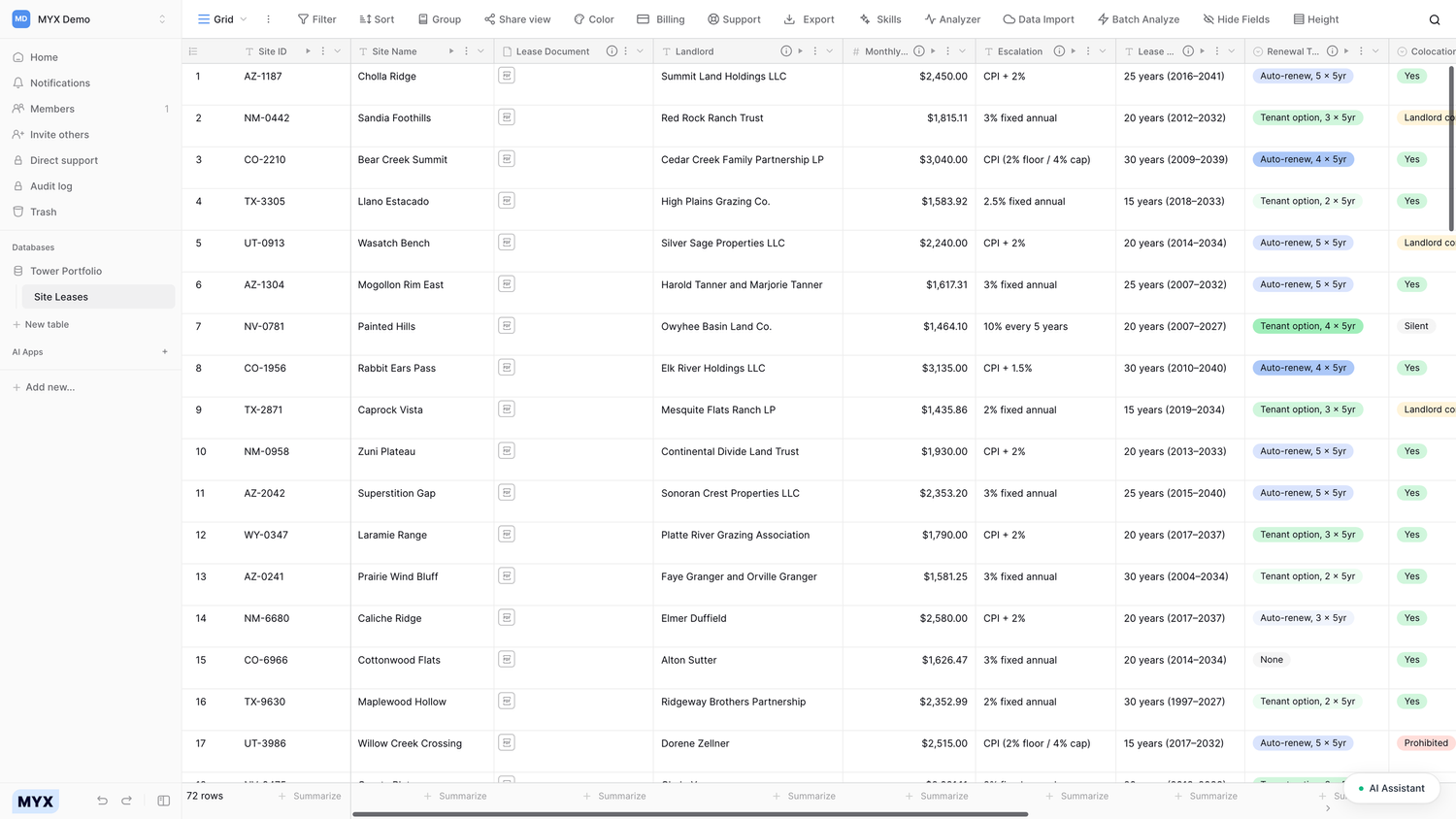
Extraction. The Analyzer reads each lease and the fields fill in as results arrive: landlord, monthly rent, escalation, lease term, renewal type and whether colocation is allowed.
The table. 72 rows and 1 column per field, ready to check and ready to export to Excel.
The columns are not a fixed template. Each column is a field with its own extraction prompt that says what to pull from every lease. Add a field for a clause you care about, and the Analyzer fills it for every row in the table.
How to Read the Result
Every value in the table comes with 2 things: a confidence level, shown as high, medium or low, and the page of the source document it was taken from. A reviewer can check any value against the source without rereading the whole lease. Start with the low-confidence values, open the page reference, and compare. That is the review. The Analyzer does the reading, and your team does the sign-off.
When a value needs another pass, rerun that 1 cell. Rerun a row to redo 1 lease, or rerun a column to repeat 1 field across all 72. If a field should capture something different, change its prompt and rerun the column. The table works like a spreadsheet. Rows are documents, columns are fields. When the table is right, export it to Excel.
See It on Your Own Leases
The demonstration portfolio is 72 sites. A real portfolio is larger, so a real run is a batch run. Batch processing handles hundreds of documents overnight, and the Analyzer shows a cost estimate before the run is submitted. Scanned documents with fine detail get a higher media resolution setting. Documents can come in from a folder or from SharePoint, and the Excel export takes a custom template. The result is the same table, on your leases, with the same confidence level and page reference on every value.
Run the free demo on one of your leases: upload one lease with its amendments and annexes, get 40 structured fields back. No signup, no card. Or schedule a demo for a guided run on your portfolio.