
One3D 2.0 went live on August 10. One3D is the self-serve digital twin platform by MYX. Sign in at one3d.ai and the new release is already in your account. The 3 changes that matter most for daily work are team seats, capture versioning and Gaussian splats. Team seats put your whole crew in one shared workspace instead of a trail of forwarded links. Capture versioning keeps every flight over the same site in one project, so you can switch between dates and see exactly what changed. Gaussian splats give photoreal rendering that stays clean where the mesh fails. Another 7 features ship alongside them.
We posted a full feature walkthrough on LinkedIn on August 8. The short version is below.
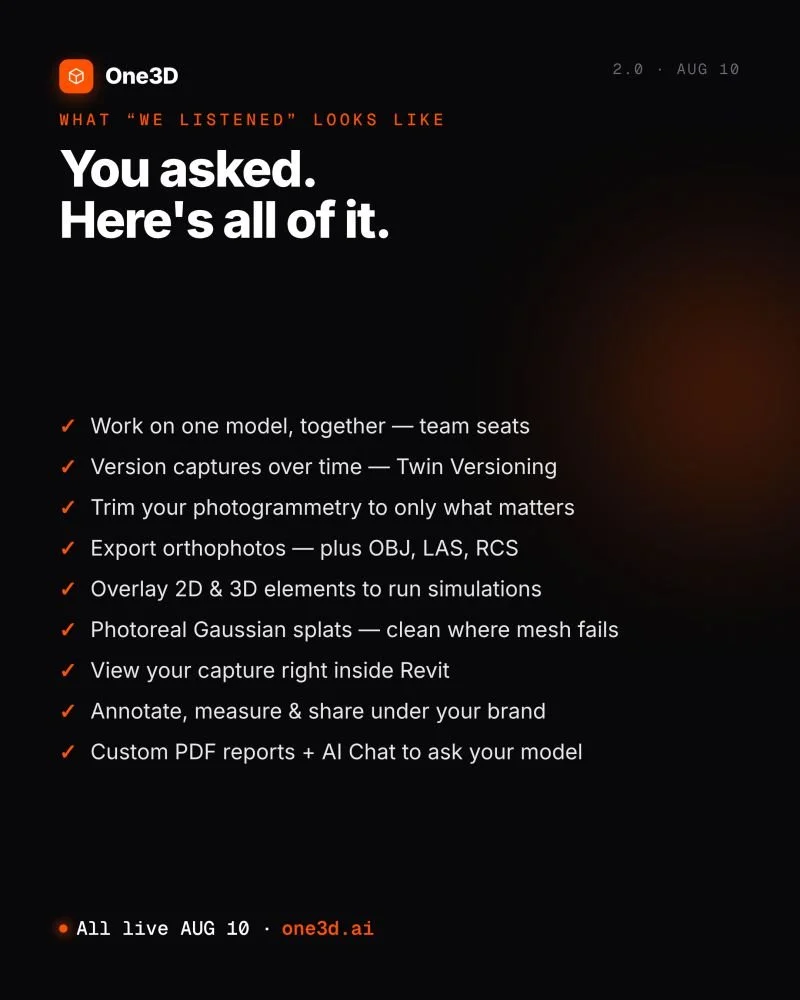
What Shipped in One3D 2.0
Working the model:
Capture versioning. Upload new captures of the same site over time and switch between versions to see what changed.
Photogrammetry trimming. Trim the model down to only what matters before your client opens it.
More export formats. Export orthophotos, plus OBJ, LAS and RCS files for your CAD and point-cloud tools.
2D and 3D overlays. Overlay drawings and other elements on the model to run simulations.
Gaussian splats. Photoreal rendering, clean where the mesh fails.
Revit. View your capture right inside Revit.
Working with your team and your clients:
Team seats. Work on one model together, in a shared workspace.
White-label sharing. Share under your own brand, so clients see a viewer that carries your name, not ours.
Custom PDF reports. Generate a client-ready PDF report from a model.
AI Chat. Ask your model anything.
Who These Are For
There is a pattern in that list. Team seats, white-label sharing and custom PDF reports matter to drone service providers who deliver twins to their own clients and want One3D to stay behind their brand. LAS and RCS export matters to surveyors who work in point-cloud tools and are tired of converting formats between them. Capture versioning matters to anyone who flies the same site year after year and wants that history in one project.
The list started as your requests. For the last few years you have told us, in support tickets, on calls and in feature requests, exactly what One3D was missing. We wrote all of it down, and then we built it. That is why we call 2.0 the most-requested release in One3D's history.
Sign In and Try It
One3D 2.0 is live now at one3d.ai for every account. Sign in and the new features are already there. A good first test is to upload a second capture of a site you already have and switch between the 2 versions. If you want the background, the launch announcement is on LinkedIn next to the walkthrough. Keep the requests coming. This release came out of them, and we read every one.
Also from MYX: MYX Analyzer turns tower leases and site documents into structured data. Try it free on one lease, no signup, no card.