
At the end of June we showed the MYX Site Analyzer live for the first time. You give it every document behind a site, and it reads all of it and answers your questions with a page reference for each value. Dean Bezlov hosted the webinar. Our CEO Yavor Mihailov ran the demo on real engineering drawings and took audience questions to the end. The recording was uploaded on June 30 and runs just over an hour.
The Site Is Documented. Nobody Has Read All of It.
A tower site carries decades of paper. As Yavor put it on the call, the average site in Europe is 26 years old, and our average customer holds over 1,000 pages of PDF documents per site, most of them sitting idle. There is the original lease, often signed in the 1990s and carrying four, five, six annexes since. On average our customers also have over 100 engineering drawings per site, in revision after revision. A clause about rooftop space only makes sense next to the drawing referenced in an annex. Can you visit the site without three days' notice? Do you need to re-sign the lease to add equipment? The answers are in the documents somewhere, and nobody knows where without reading everything.
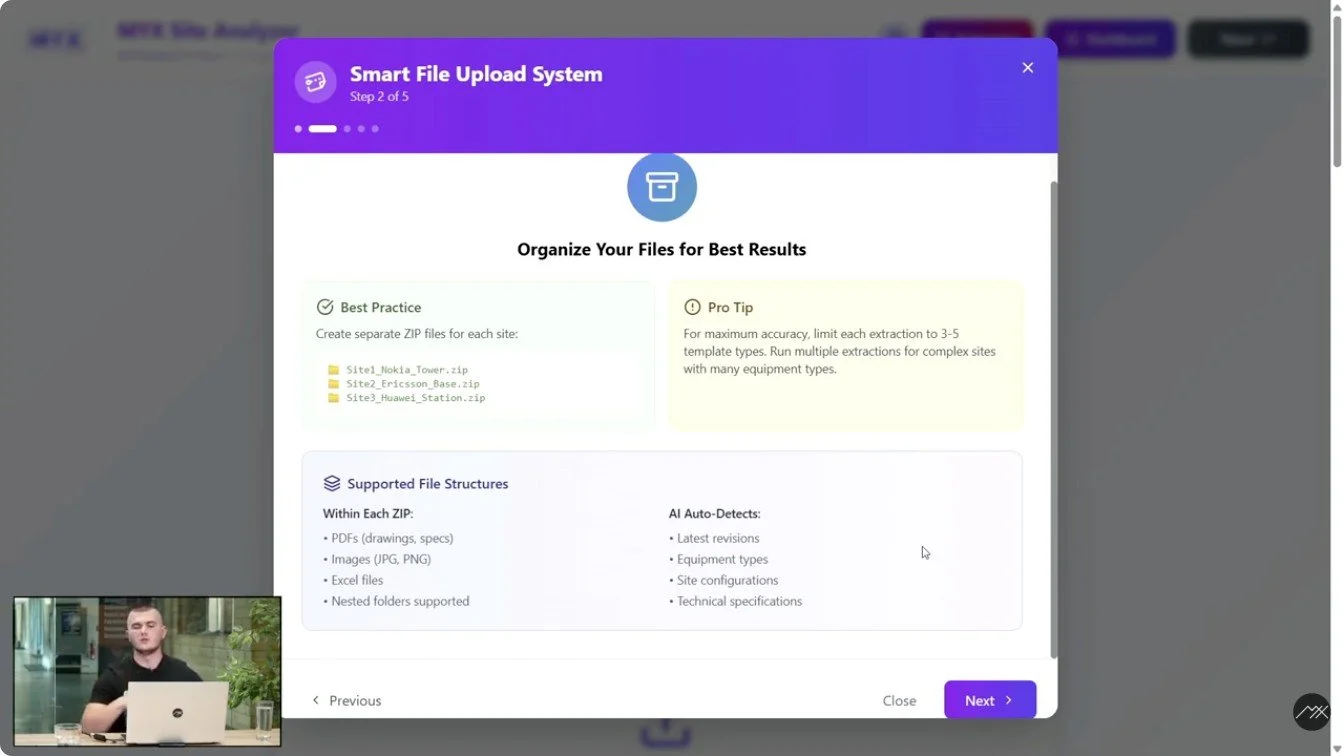
That reading is what the Analyzer does. It reads thousands of pages and reasons across the whole set instead of file by file. Sites go in as one zip file each and run in parallel. One test run mentioned on the call took 4,400 of them.
What Comes Back
You upload the complete documentation for a site. The Analyzer reconciles amendments against the original lease and later drawing revisions against earlier ones. Then it reports:
The equipment on the site today, as the latest drawings and reports describe it.
The lease terms in force after every amendment is applied.
Whether another tenant can be collocated, and under what constraints.
What is missing, such as a structural calculation or a detailed design drawing.
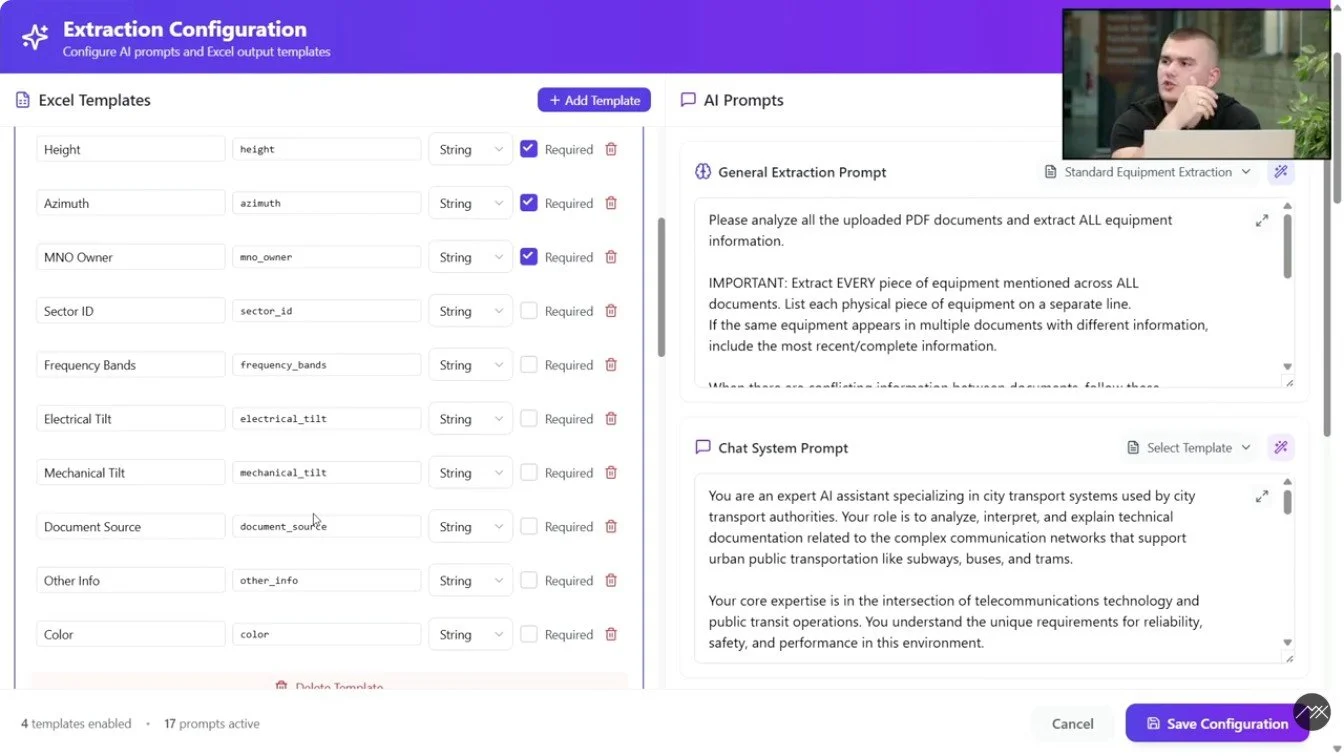
It reads documents, images and video. It works in more than 20 languages. It extracts more than 500 data fields, and you can build your own extraction templates. A built-in prompt assistant writes a template from a few words.
Every Answer Shows Its Page
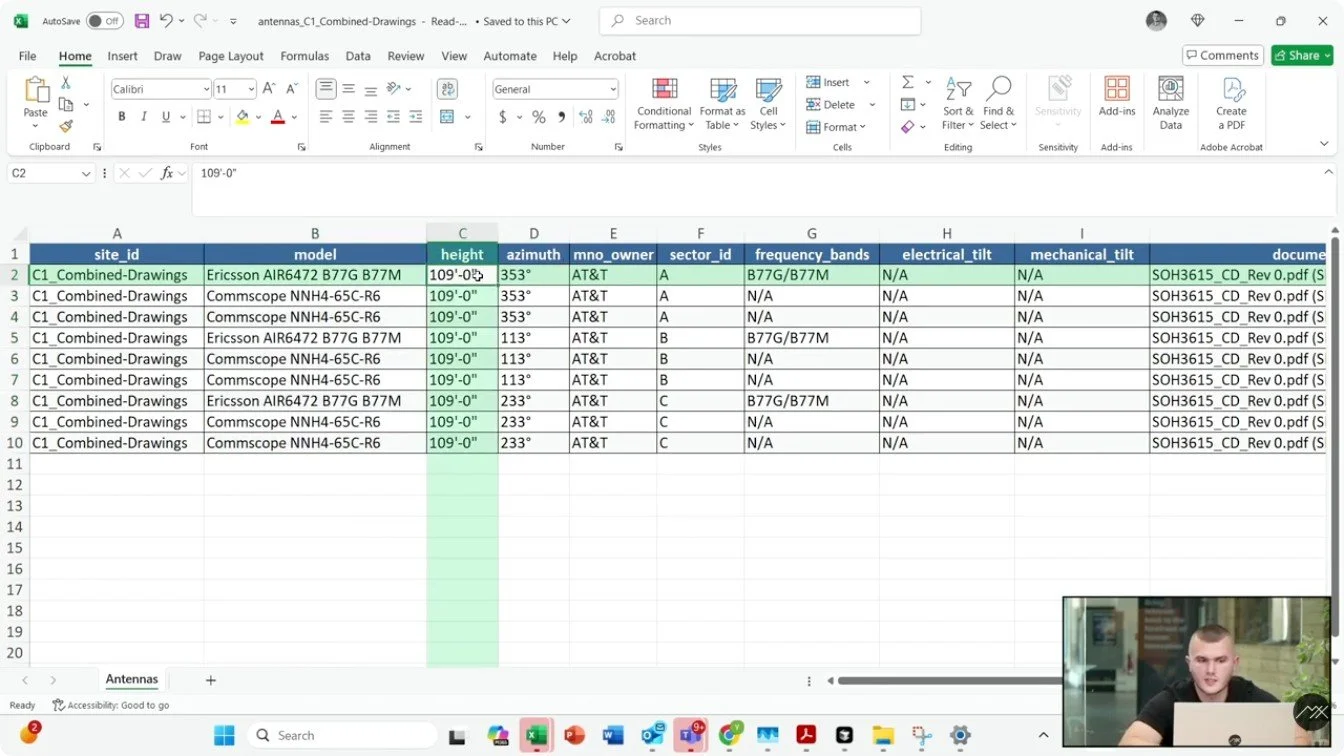
Every value the Analyzer returns carries its source: the document and the page it came from. In the demo, the antenna inventory pointed at page 16 of the engineering drawing it was read from, so a reviewer jumps straight to that page and checks. When the documents do not contain an answer, the field comes back as NA, by explicit instruction. We would rather report a gap than invent a number.
Fast for Breadth, Deep for the Hard Questions
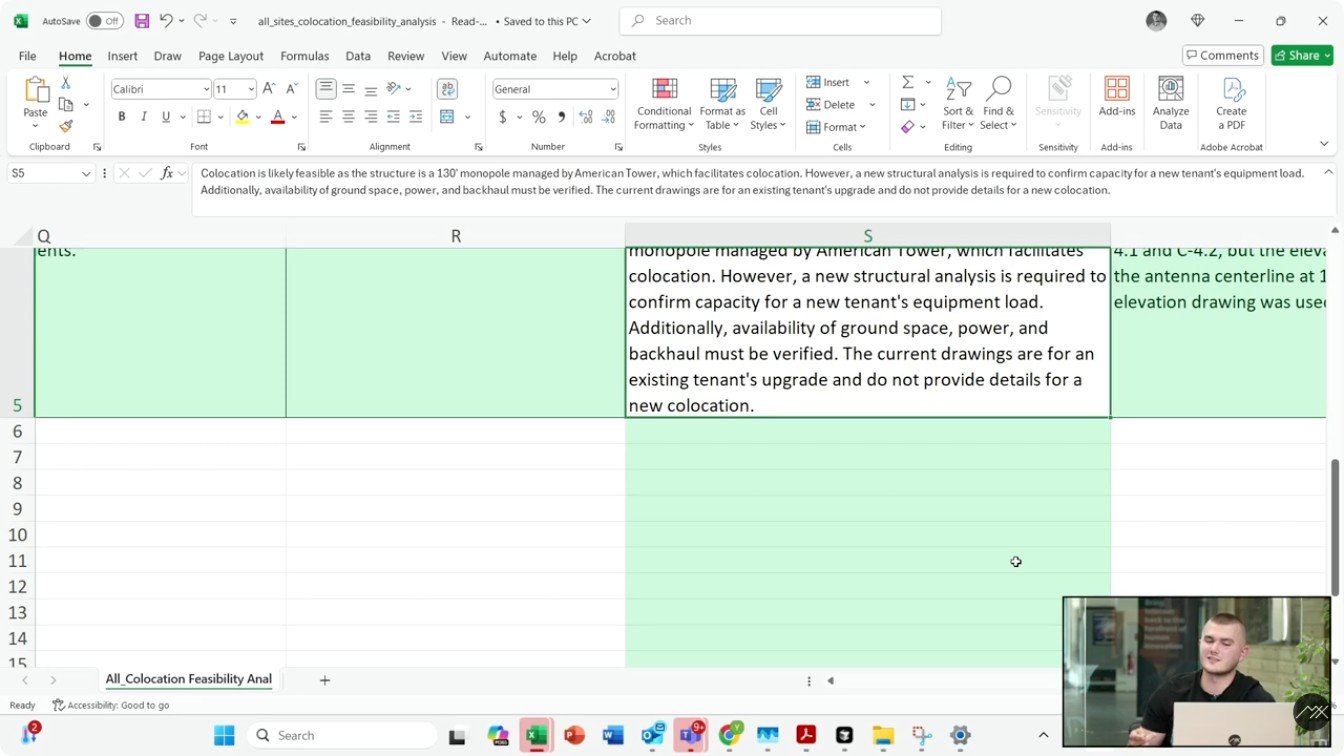
There are 2 ways to run an analysis. Fast mode is built for breadth and iteration: try a template on a few sites, check the results, then scale it. It runs around 4 times faster, and in one run described on the call it analyzed over 4,000 sites in under 10 hours. Accurate mode brings deeper reasoning to questions that depend on several documents at once, collocation feasibility above all. The answer sits in the structural calculations, the tenant inventory, the mount elevations and the transmission backhaul. In the demo it judged collocation feasible on a monopole site and added that a new structural analysis was required to confirm capacity for the new tenant. It knows its limits.
See It on Your Own Documents
Watch the recording for the full tour, including the audience Q&A. The Analyzer is open to the public, and you can sign up for a trial account at analyzer.myxrobotics.com. Or schedule a demo and bring a site of yours, the lease with its amendments and the drawings. We will run it with you.
Run the free demo on one of your leases: upload one lease with its amendments and annexes, get 40 structured fields back. No signup, no card. Or schedule a demo for a guided run on your portfolio.